OJ Tools
This page introduces some OJ tools.
cf-tool
cf-tool is a cross-platform (supporting Windows, Linux, macOS) command-line interface tool for Codeforces, supporting many common operations.
The source code is hosted at xalanq/cf-tool.
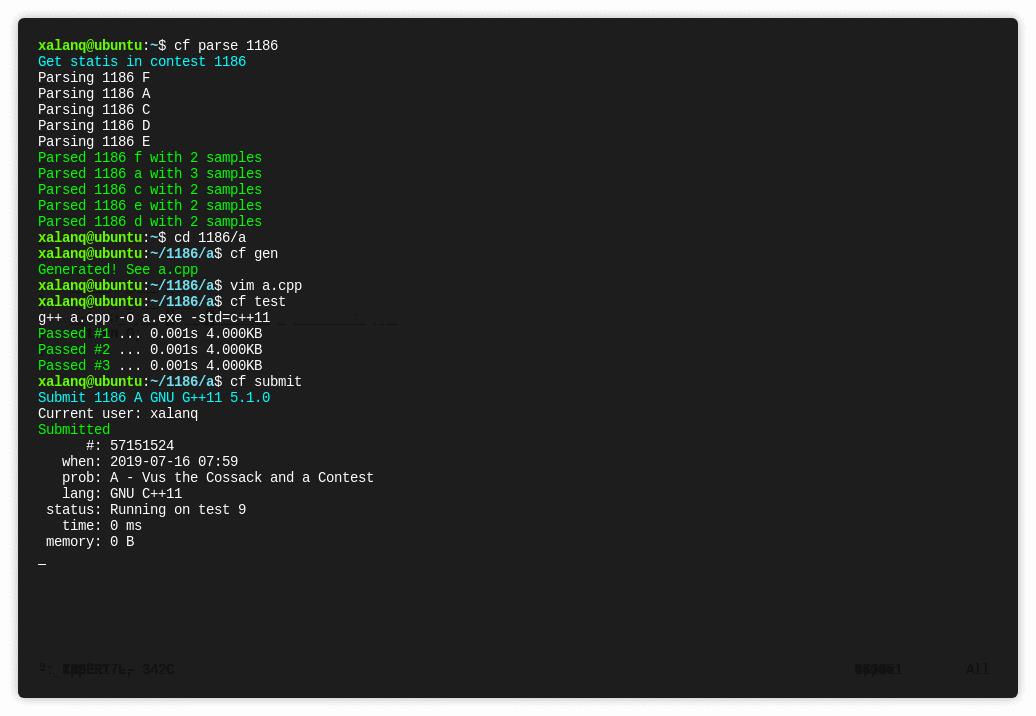
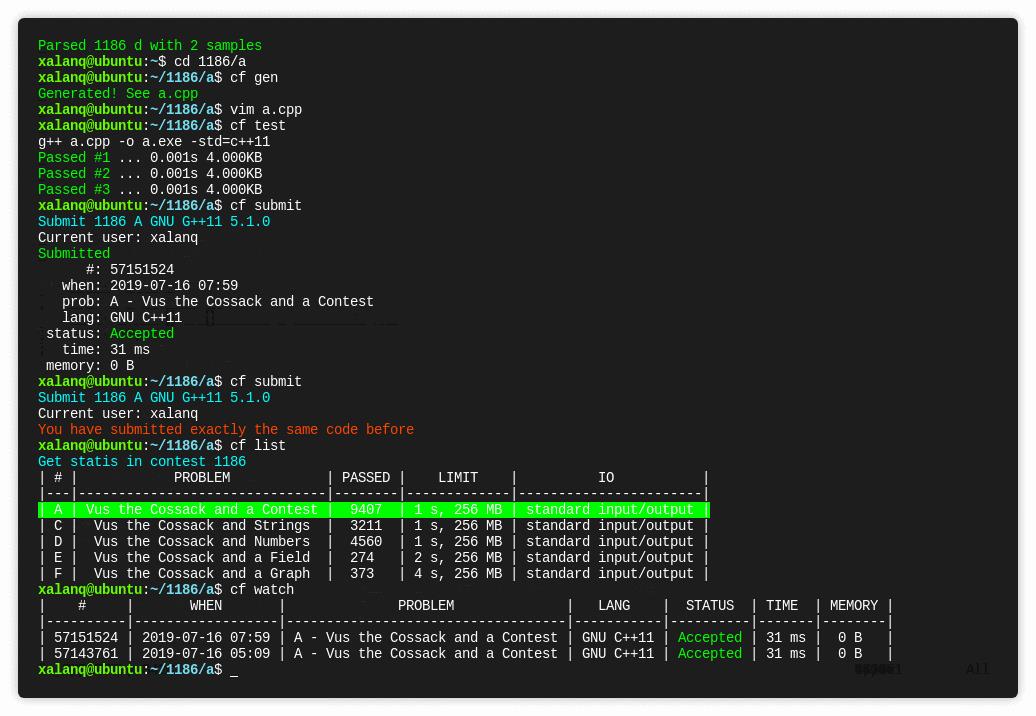
Features
- Supports all programming languages on Codeforces.
- Supports Contests and Gym.
- Submits code.
- Dynamically refreshes the status after submission.
- Pulls sample test cases for problems.
- Compiles locally and tests against samples.
- Pulls all code submissions of a user.
- Generates code from a specified template (including timestamp, author info, etc.).
- Lists overall information for all problems in a contest.
- Opens problem pages, standings, submission pages, etc., in the default web browser.
- Rich command-line interface.
Download
Go to cf-tool/releases to download the latest version.
Subsequent updates can be obtained directly using the upgrade command.
Usage
After placing the downloaded executable cf (or cf.exe) in a suitable location (see the second item in the FAQ), open the command line and use the cf config command to configure your username, password, and code template.
Usage Examples
The following simulates a typical contest flow.
cf race 1136
Start competing in contest 1136! The number 1136 can be obtained from the contest URL, for example, the contest link in this case is https://codeforces.com/contest/1136.
If the contest has not started, this command will start a countdown. Once the contest begins or the countdown finishes, the tool will automatically open all problem pages of the contest in the default browser and pull the sample cases to the local machine.
cd 1136/a
Enter the directory for problem A. This directory will contain the sample cases for that problem.
cf gen
Generate a code file using the default template, let's say a.cpp here.
vim a.cpp
Write code using Vim (or use another editor or IDE).
cf test
Compile and test against the sample cases.
cf submit
Submit the code.
cf list
View information about each problem in the current contest.
cf stand
Open the standings in the browser to view rankings.
FAQ
-
I double-clicked the program but nothing happened.
cf-tool is a command-line interface tool; you should run it in a terminal.
-
I cannot use the
cfcommand.You should place the
cfprogram in a path that is already added to the system PATH variable (e.g.,/usr/bin/on Linux).If unsure, please search for "how to add a path to PATH".
-
How to add a new test case?
Create two additional test case files
inK.txtandansK.txt(where K is a string containing digits 0~9). -
How to enable tab completion for commands in the terminal?
Use this tool: Infinidat/infi.docopt_completion.
Note: If a new version is released (especially if new commands are added), you should rerun
docopt-completion cf.
Codeforces Visualizer
Official website: Codeforces Visualizer
Source code hosted at sjsakib/cfviz.
This website has three features:
- Visualizes various information of a user with cool charts (e.g., difficulty distribution of solved problems).
- Compares two users.
- Calculates Rating predictions for a contest.
Competitive Companion
This tool is a browser extension that parses test case data from web pages. It supports almost all mainstream OJ platforms (e.g., Codeforces, AtCoder). After installing this extension, you no longer need to manually copy any test case data.
Source code hosted at jmerle/competitive-companion.
How to use:
- Install the extension on Google Chrome or Firefox. The tool will send the parsed test case data in JSON format to a specified port.
- Locally install any tool that can listen to and read data from that port. You can refer to the official example.
Demonstration image:

Demonstration completed using bytetools by user zqxyz73.
ac-predictor
ac-predictor is a plugin that allows you to know rating changes for a contest before the AtCoder rating is officially updated.
This tool is a Tampermonkey script, so you first need to install Tampermonkey.
After that, go to greasyfork and click install.
Once installed, the contest standings page will display predicted rating changes for each user.
There is a Chinese-translated version of this tool by GoodCoder666. Click here to install.
本页面最近更新:,更新历史
发现错误?想一起完善? 在 GitHub 上编辑此页!
本页面贡献者:OI-wiki
本页面的全部内容在 CC BY-SA 4.0 和 SATA 协议之条款下提供,附加条款亦可能应用