CP Editor
Introduction
CP Editor is specifically designed for competitive programming, unlike other IDEs which are primarily intended for development. It can help you automate compilation, execution, and testing, allowing you to focus on algorithm design. It can even fetch sample test cases from various competitive programming websites and submit code to Codeforces!
Download and Installation
Refer to Installation | CP Editor.
Basic Configuration
CP Editor does not have a built-in compiler; you need to install and configure a compiler yourself. If needed, please refer to the relevant articles on this site about compiler installation1. Of course, if you selected an installation package with the suffix
with-gcc-<GCC version>-llvm-<LLVM version>when downloading, you can use the compiler bundled with CP Editor, located at{installation directory}/mingw64/bin/.
-
Set Default Language
The editor's default language is
C++.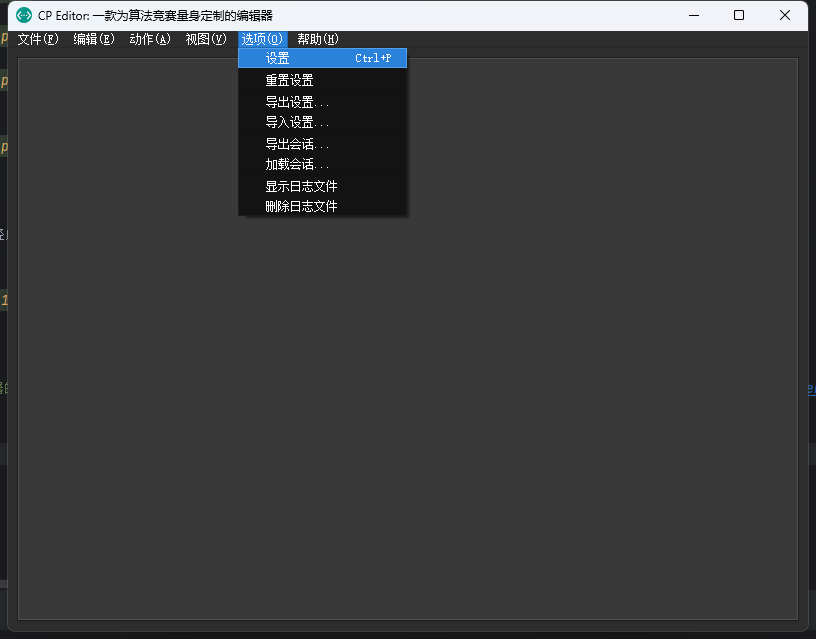
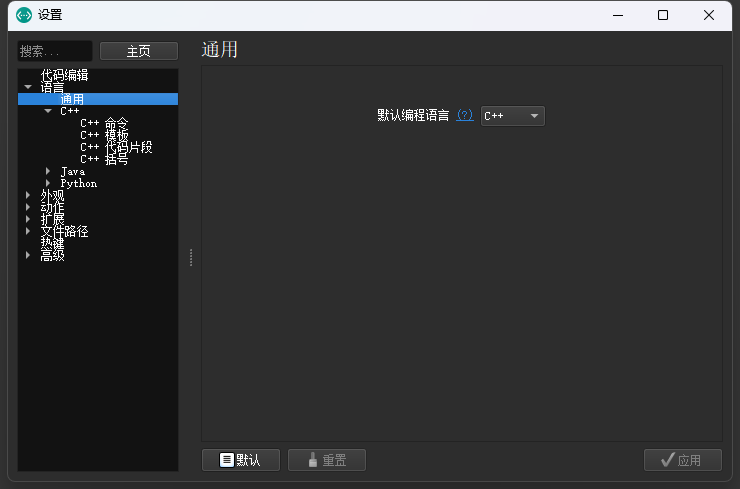
-
Set
C++CommandsSome necessary compilation commands need to be set, which depend on the compiler.
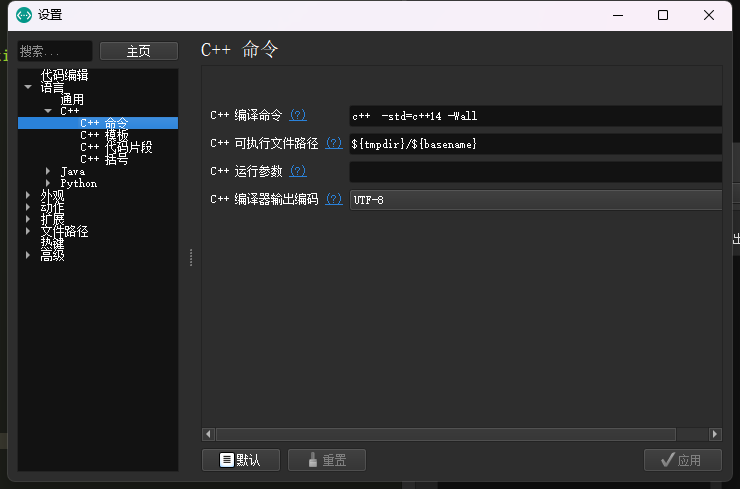
-
Set Template
A template that is automatically initialized when creating a new file. Note that CP Editor requires an
xxx.cppfile as the template file.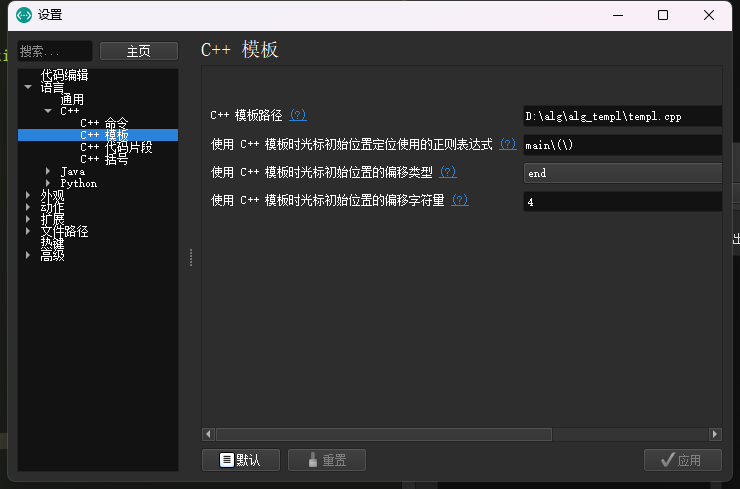
After completing the above basic operations, you can use the most fundamental features.
Basic Features
-
Keyboard Shortcuts
Command Action Ctrl+Shift+C Compile. Ctrl+Shift+R Compile and Run. Ctrl+R Run. Ctrl+Alt+D Run in Terminal. Ctrl+K Kill All Processes. Ctrl+Shift+I Format Code. For details, refer to the Official Documentation.
-
Sample Testing
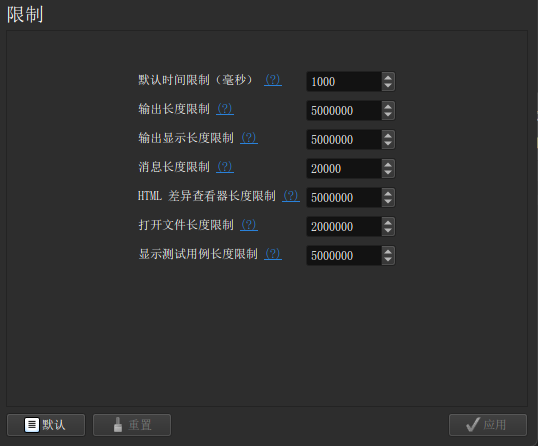
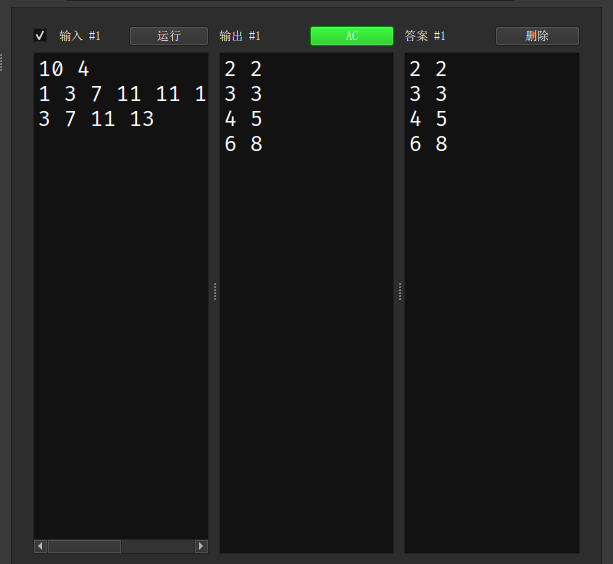
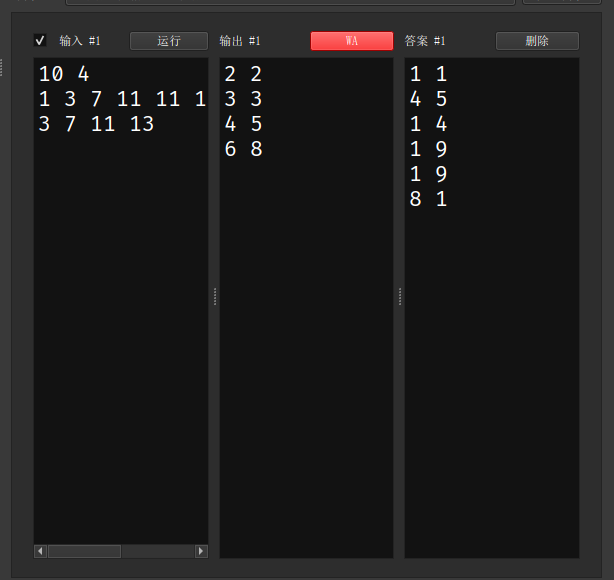
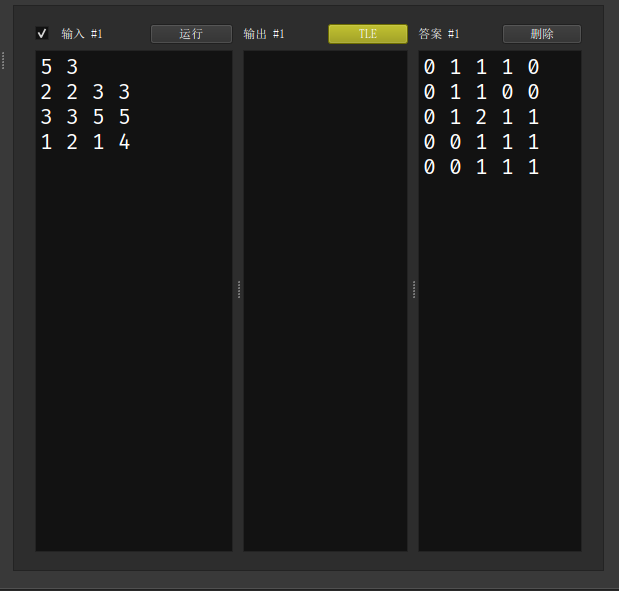
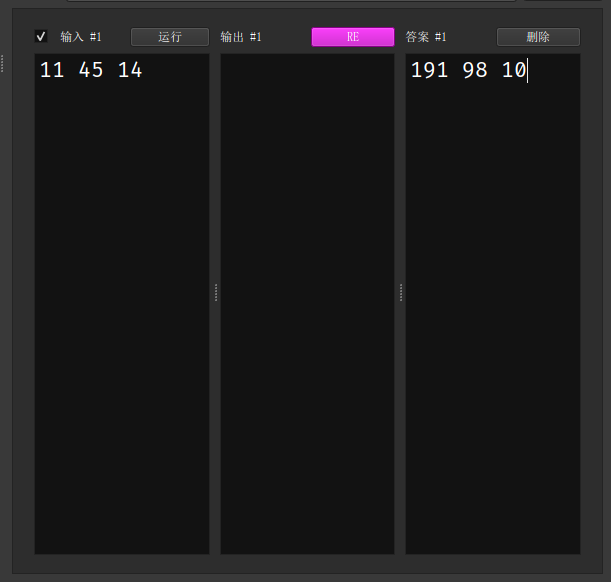
You can copy the sample test cases from the problem statement and have CP Editor automatically judge them. You can even set a time limit!
References
本页面最近更新:,更新历史
发现错误?想一起完善? 在 GitHub 上编辑此页!
本页面贡献者:OI-wiki
本页面的全部内容在 CC BY-SA 4.0 和 SATA 协议之条款下提供,附加条款亦可能应用