Eclipse
Introduction
Eclipse is a well-known cross-platform open-source Integrated Development Environment (IDE). Initially designed primarily for Java language development, it is now also used as a development tool for other languages such as C++, Python, and PHP through plugins.
Eclipse itself is just a framework platform, but with extensive plugin support, it offers great flexibility. Therefore, many software developers use Eclipse as a framework to build their own IDEs.
Eclipse was originally developed by IBM as the next-generation IDE to replace the commercial software Visual Age for Java. In November 2001, it was contributed to the open-source community. It is now managed by the non-profit software supplier alliance, the Eclipse Foundation.1
Disadvantages:
- In practice, this IDE has been observed to launch slower than Visual Studio.
- Update frequency is unpredictable; plugin updates often lag behind IDE updates, which is unfriendly for users who frequently update.
Advantages:
- Good user experience.
- Quick to get started with, making it a recommended IDE for OIers.
Installation & Configuration Guide
For installation, refer to Eclipse/Installation - Eclipsepedia.
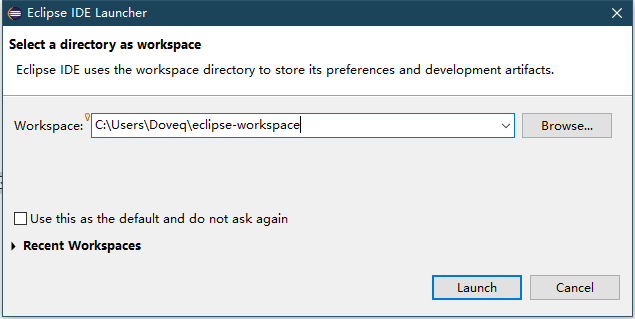
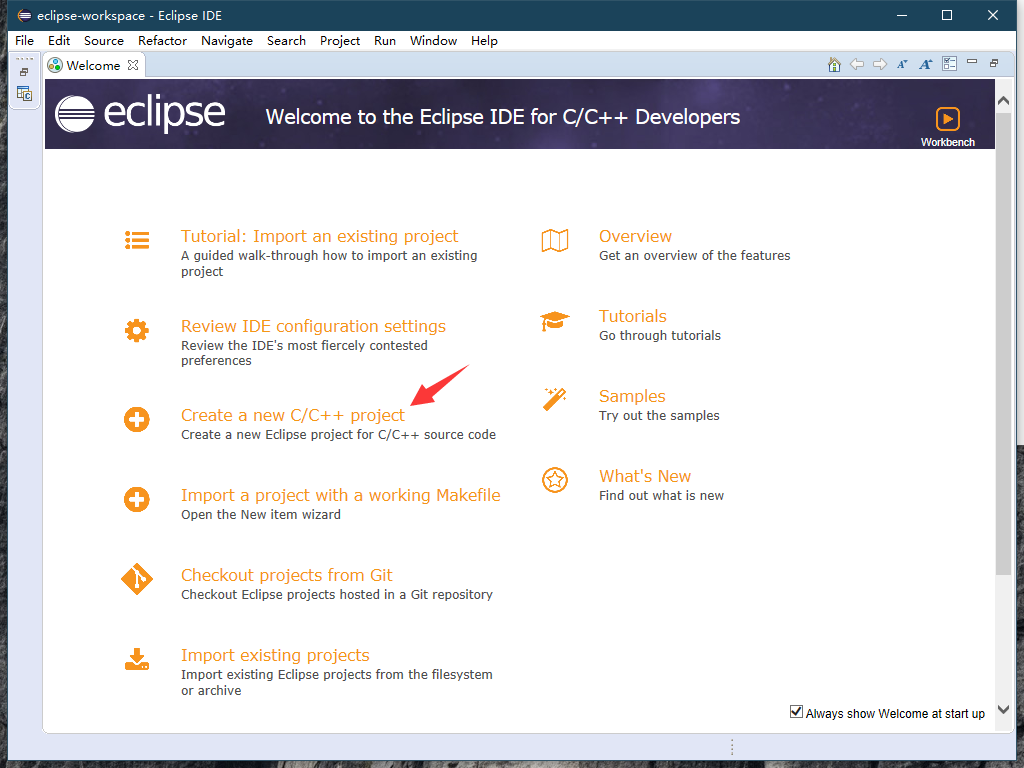
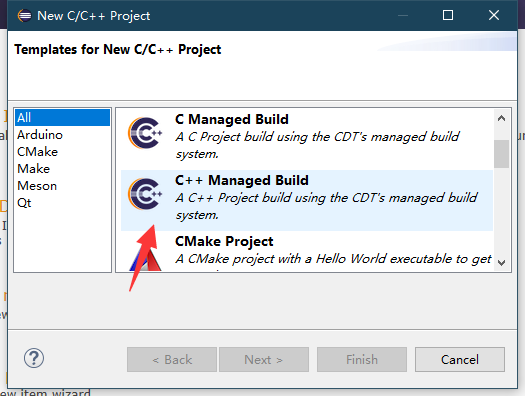
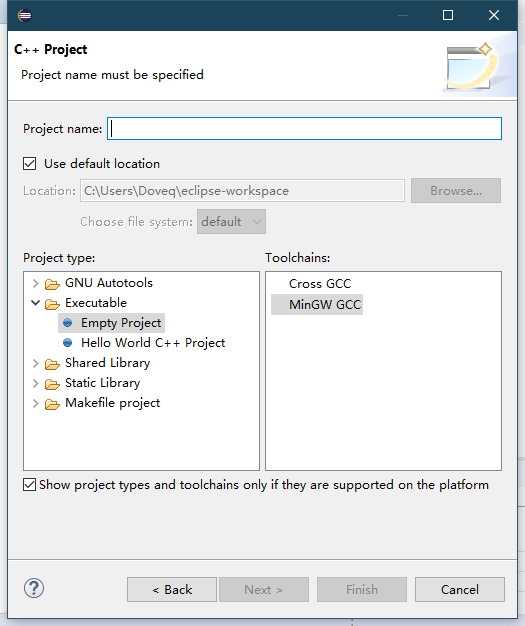
After installation, fill in the directory information as shown below to create a project:
Extensions
This software has a very detailed help manual. It is recommended that newcomers read the help manual frequently and search online. Additionally, the user experience of this IDE is similar to that of Visual Studio.
Similar to VS Code, Eclipse also offers many plugins that can make Eclipse more user-friendly.2
References and Notes
本页面最近更新:,更新历史
发现错误?想一起完善? 在 GitHub 上编辑此页!
本页面贡献者:OI-wiki
本页面的全部内容在 CC BY-SA 4.0 和 SATA 协议之条款下提供,附加条款亦可能应用